

Welcome to the Deposit & Withdraw page, your central place for managing funds through your account. Whether you want to add funds to your account or request a withdrawal, this page provides clear information about the available processes, payment methods, transaction requirements, limits, and processing times.
We understand that managing your funds should be simple and convenient. That’s why the deposit and withdrawal process is designed to be straightforward, allowing users to review the available options and complete their transactions by following a few simple steps.
Before making any transaction, always review the information displayed on the platform, including applicable limits, fees, processing times, and payment requirements.
Manage Your Funds Easily
Managing your account balance is an important part of using any online platform. The Deposit feature allows eligible users to add funds to their account, while the Withdraw feature allows eligible users to request funds from their available balance.
Both options can normally be accessed directly through your account dashboard after logging in.
The available payment methods and transaction conditions may vary depending on your location, account status, currency, and other applicable requirements. For this reason, always check the options currently displayed in your account before starting a transaction.
How to Make a Deposit
Adding funds to your account is a simple process when you follow the provided instructions.
First, log in to your account using your registered username, email address, and password. After successfully signing in, navigate to the Deposit section.
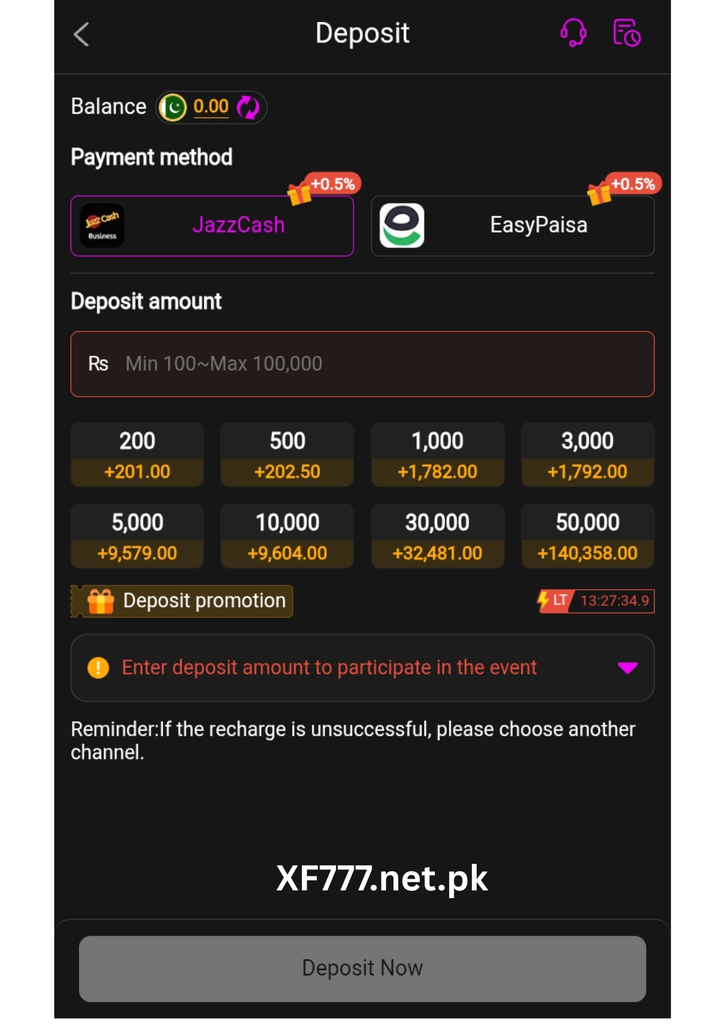
You will see the payment methods currently available for your account. Select the method that is convenient for you and review its requirements before continuing.
Enter the amount you want to deposit and carefully review the transaction information. Make sure the amount is within the applicable minimum and maximum limits.
After confirming the details, follow the payment instructions displayed on the screen. Depending on the selected method, you may be redirected to a secure payment service or asked to provide additional transaction information.
Once the payment has been completed, allow the transaction to be processed. When the deposit is successfully confirmed, the funds will be reflected in your account according to the applicable processing time.
Available Deposit Methods
Different users may have access to different payment methods. Available options can depend on location, currency, account requirements, and payment-provider availability.
Before choosing a deposit method, check the information displayed next to the option. Important details may include minimum deposit amounts, maximum limits, processing times, and applicable fees.
Only use payment methods that are supported by the platform and belong to you. Using an approved payment method can help reduce unnecessary delays and transaction problems.
Check Deposit Limits
Deposit limits determine the minimum and maximum amount that can be added to your account through a particular payment method.
For example, one payment method may allow a different transaction range from another. Limits can also change according to account requirements or other applicable conditions.
Always check the current limits before entering your deposit amount. If the amount you enter does not meet the required limits, the transaction may not be accepted.
Review Your Deposit Before Confirming
Before completing a deposit, carefully review every detail shown on the confirmation screen.
Check the deposit amount, selected payment method, account information, and any applicable charges.
Taking a moment to verify the information can help prevent mistakes and unnecessary delays. If something does not look correct, do not confirm the transaction until you have checked the details.
Deposit Processing Time
The time required for a deposit to appear in your account can vary.
Some payment methods may process transactions quickly, while others may require additional time. Processing can also be affected by the payment provider, verification requirements, weekends, holidays, or other circumstances.
If your transaction is marked as pending, check the expected processing time before taking further action.
Avoid submitting multiple deposits simply because the first transaction has not appeared immediately. If the transaction remains pending beyond the stated timeframe, contact support and provide the relevant transaction information.
How to Withdraw Funds
The withdrawal feature allows eligible users to request funds from their available account balance.
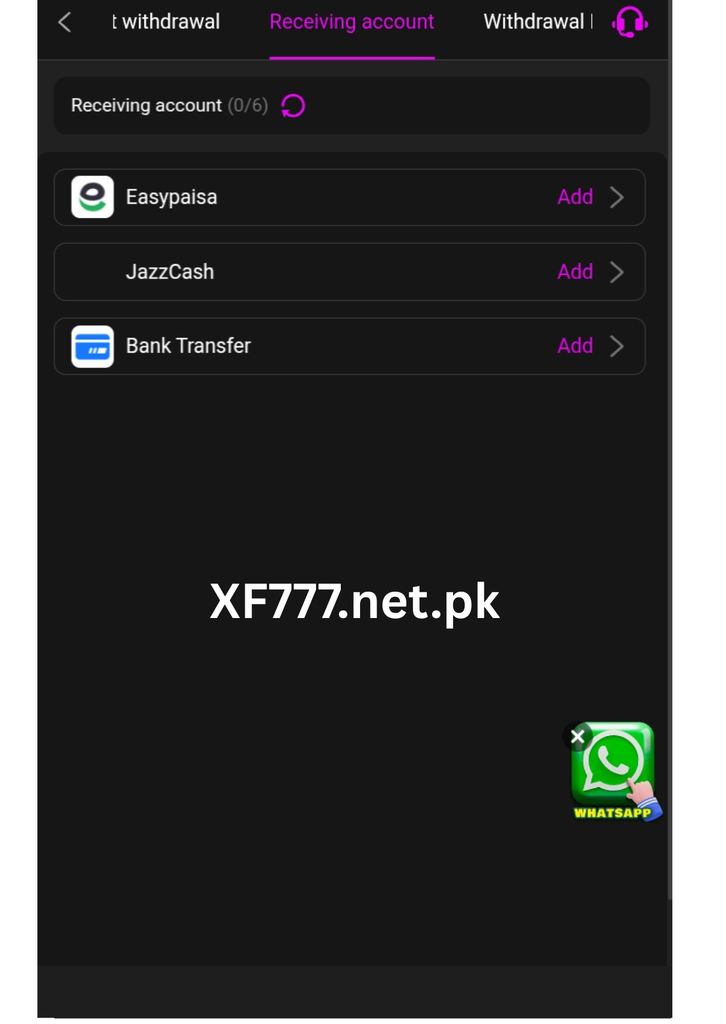
To begin, log in to your account and open the Withdraw section. Select one of the available withdrawal methods and enter the amount you want to request.
Before submitting the request, check that your available balance is sufficient and that the amount meets the applicable minimum and maximum withdrawal limits.
Enter the requested payment information carefully. Make sure the information is accurate and belongs to you.
Once all details have been reviewed, submit the withdrawal request and wait for it to be processed.
Check Your Available Balance
Your total account balance and available withdrawal balance may not always be the same.
Some funds may be pending or subject to specific conditions. Before requesting a withdrawal, check the amount that is actually available for withdrawal.
If you attempt to withdraw more than your available balance, the request may not be processed.
Choose the Right Withdrawal Method
The withdrawal options available to you may depend on your location, account, currency, and other requirements.
Each method may have its own processing time, limits, and fees. Review these details before selecting a payment method.
Always make sure that the payment information you provide is correct. Incorrect information can cause delays or prevent the transaction from being completed.
Withdrawal Processing Time
Withdrawal requests may require additional processing before funds are transferred.
The exact processing time depends on the selected withdrawal method and other transaction conditions. Some requests may be completed quickly, while others may require additional verification.
After submitting your request, you can usually check its status through your account’s transaction history.
If a withdrawal remains pending longer than the expected processing period, contact the appropriate support team with your transaction reference.
Withdrawal Limits and Fees
Withdrawal limits may apply to each transaction or over a specific period. The minimum and maximum amounts can vary depending on the payment method.
Some withdrawal methods may also involve transaction or processing fees.
Before confirming your request, carefully review the amount you are requesting and any applicable charges. Understanding these details in advance can help you avoid unexpected issues.
Keep Your Account Information Secure
Security should always be a priority when managing your funds.
Never share your account password, PIN, verification code, or other confidential information with another person. Use only the official platform when making deposits or requesting withdrawals.
Be cautious of unexpected messages or requests asking you to send money or provide sensitive account information. If you receive a suspicious request, verify it through the platform’s official support channels before taking any action.
What If a Transaction Fails?
A deposit or withdrawal may occasionally fail for different reasons.
A transaction could be rejected because of incorrect payment information, insufficient balance, an unsupported payment method, transaction limits, verification requirements, or temporary payment-provider issues.
If a transaction fails, carefully review the reason provided by the platform. Correct any relevant information and try again only when appropriate.
If you cannot determine the reason for the failure, contact support and provide the transaction reference or other relevant information.
Track Your Transaction History
Your transaction history can help you keep track of deposits and withdrawals.
Reviewing your transaction history allows you to see previous transactions, amounts, dates, statuses, and available reference information.
Keeping track of your transactions can also make it easier to identify unexpected activity or provide accurate information if you need assistance from customer support.
Common Questions About Deposits and Withdrawals
How do I deposit funds?
Log in to your account, open the Deposit section, select an available payment method, enter the amount, review the details, and follow the payment instructions.
How do I withdraw funds?
Open the Withdraw section after logging in, select an approved withdrawal method, enter the required information and amount, review the details, and submit your request.
How long do transactions take?
Processing times vary depending on the payment method and transaction conditions. Always check the estimated processing time shown on the platform.
Why is my transaction pending?
A pending transaction may still be undergoing processing or verification. Check the transaction status and allow the stated processing period before contacting support.
Can I cancel a transaction?
Whether a transaction can be canceled depends on its current status and the applicable platform rules. If you need to cancel a transaction, contact support as soon as possible.
What if I entered incorrect information?
If you notice incorrect information after submitting a transaction, contact support immediately and provide the transaction details. Avoid submitting another transaction until you understand the status of the original request.
Manage Your Account Responsibly
Managing your funds carefully is an important part of using any financial feature. Before making a deposit or withdrawal, understand the applicable limits, fees, processing times, and account requirements.
Keep your login credentials secure and regularly review your transaction history. Only use approved payment methods and official transaction channels.
If you are ever unsure about a transaction, review the available information or contact the appropriate support team before proceeding.
Simple and Convenient Fund Management
The Deposit & Withdraw section provides a convenient way to manage your account balance. Whether you are adding funds or requesting a withdrawal, the process is designed to give you clear information and straightforward steps.
Always check your balance, payment method, transaction limits, processing times, and applicable fees before confirming a transaction.
When you are ready, log in to your account and use the Deposit or Withdraw option from your dashboard. Follow the instructions carefully, keep your transaction information secure, and monitor your transaction status until the process is complete.
With the right information and careful attention to transaction details, managing your account can be a simple and organized experience.